PLEASE READ PAYPAL INSTRUCTIONS BELOW BEFORE CLICKING ON THE DONATE BUTTON.
|
|
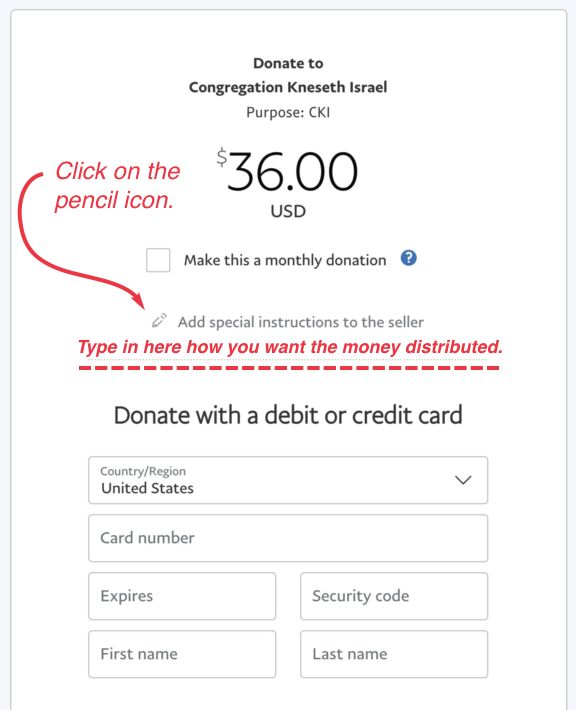
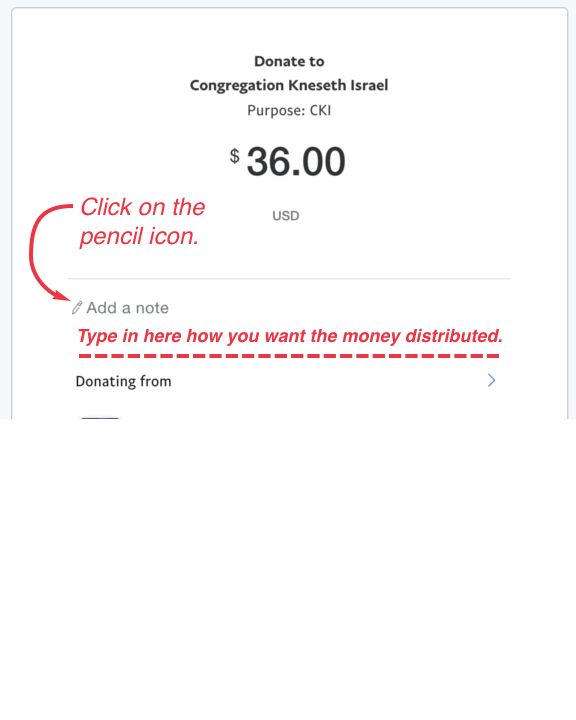
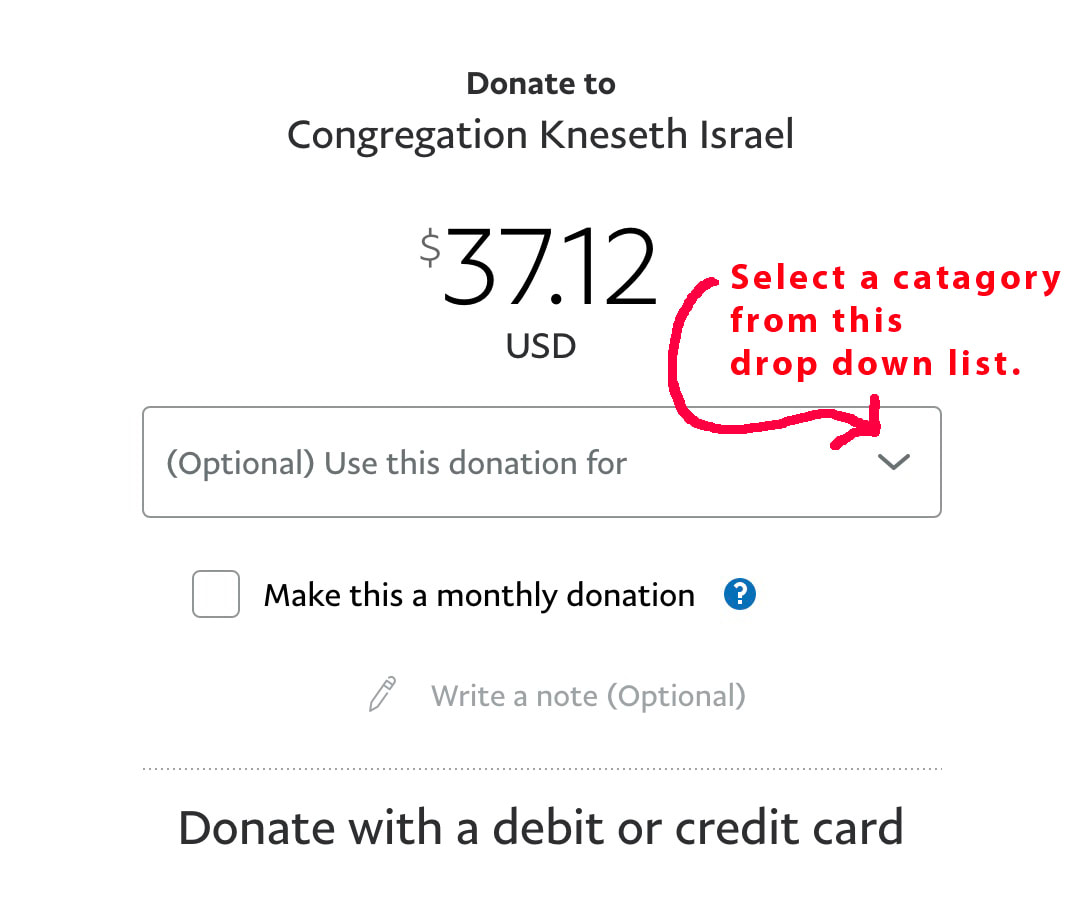
Paypal instructions - See example screen shots below.
Please indicate what the amount is for (dues, aliyah, tuition, memorial book, etc.) by clicking on the pencil icon link on the PayPal page which says, “Add special instructions to the seller", or it will say "Add a note”. A text box will open up where you can give specific instructions as to how you want the money distributed. In addition, on the following page you will have the choice to select an option in the "(Optional) Use this donation for..." drop down menu. If you have any problems please email Charlie Nueuman at chasneuman@sbcglobal.net.
Please indicate what the amount is for (dues, aliyah, tuition, memorial book, etc.) by clicking on the pencil icon link on the PayPal page which says, “Add special instructions to the seller", or it will say "Add a note”. A text box will open up where you can give specific instructions as to how you want the money distributed. In addition, on the following page you will have the choice to select an option in the "(Optional) Use this donation for..." drop down menu. If you have any problems please email Charlie Nueuman at chasneuman@sbcglobal.net.
|
|
|